Why Your Video Research Workflow Isn’t Efficient for Social Media Marketing
Social media marketing has become increasingly video-driven, but many teams still rely on fragmented, inefficient workflows when researching video content. Watching videos directly on platforms, saving random links, or relying solely on surface-level metrics often leads to biased conclusions and wasted time.
Effective video research is not about inspiration alone. It is about systematically understanding what works, why it works, and how it can be replicated.
Why Marketers Need Video Research
High-performing video content is rarely accidental. Behind most successful campaigns are patterns related to format, timing, structure, and audience response.
For social media marketers, video research helps to:
- Identify repeatable content patterns
- Understand competitor strategies
- Reduce guesswork in content planning
- Validate creative decisions with data
- Without a structured research process, teams tend to chase trends rather than build sustainable strategies.
Why Downloading Is Only the First Step
Many marketers assume that downloading videos is the end goal. In reality, downloading is only the foundation of a proper research workflow.
Relying on platform-native viewing has clear limitations:
- Videos can be removed or altered
- Engagement data may change over time
- Comparing multiple creators becomes inefficient
- Downloading videos allows marketers to work with stable assets, revisit content objectively, and analyze performance without platform interference.
Downloading is not the goal - it is the starting point of analysis.
Easy Steps to Download Social Media Videos for Research
(YouTube, TikTok, Reddit, and more)
When videos are used for research purposes, the focus should be on quality, consistency, and data preservation - not just speed.
How to Download YouTube Videos for Analysis
YouTube videos are often used for:
- Long-form content analysis
- Educational or tutorial breakdowns
- Competitor benchmarking
- For research use cases, downloaded videos should retain original quality and relevant metadata. Tools that support batch downloads and stable file formats make it easier to analyze multiple videos side by side.
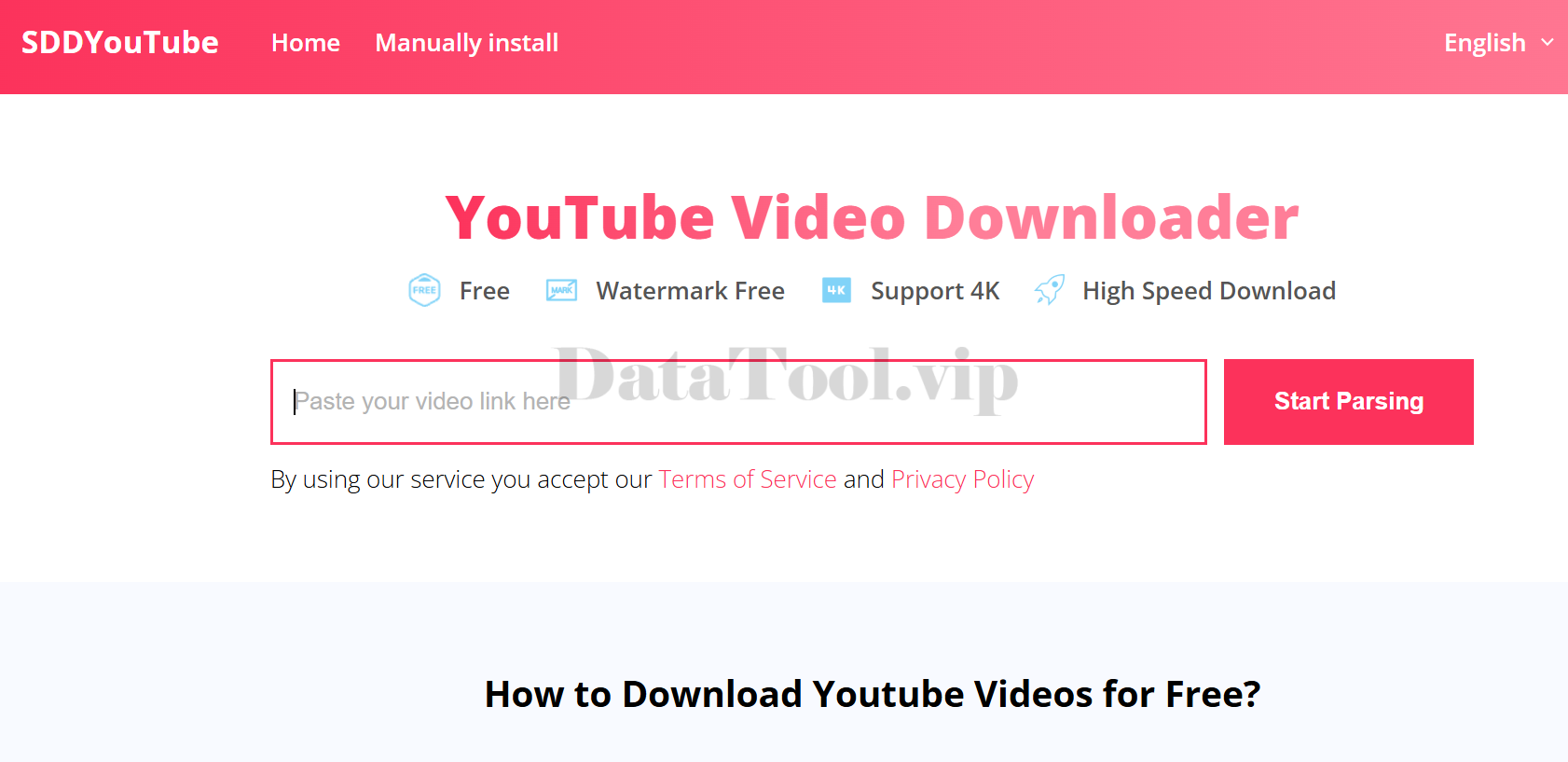
Here is an example using SDDYouTube, a YouTube downloader I currently use for video research.
Step 1:
Open the SDDYouTube.com and access the download interface.
Step 2:
Paste the URL of the YouTube video you want to analyze, then select the preferred resolution based on your research needs.
Step 3:
Make sure to enable the option to download the video, audio, and thumbnail separately. Keeping these assets independent makes it easier to edit clips, review visuals, or exclude unnecessary sections during analysis.
This feature has been particularly useful in my workflow.
How to Download TikTok Videos Without Watermarks
Watermarks can interfere with:
- Visual analysis
- Internal presentations
- Content comparisons
- For marketers studying hooks, pacing, or visual structure, watermark-free videos provide a clearer view of the original content. These downloads should be used strictly for internal research, reference, or analysis purposes.
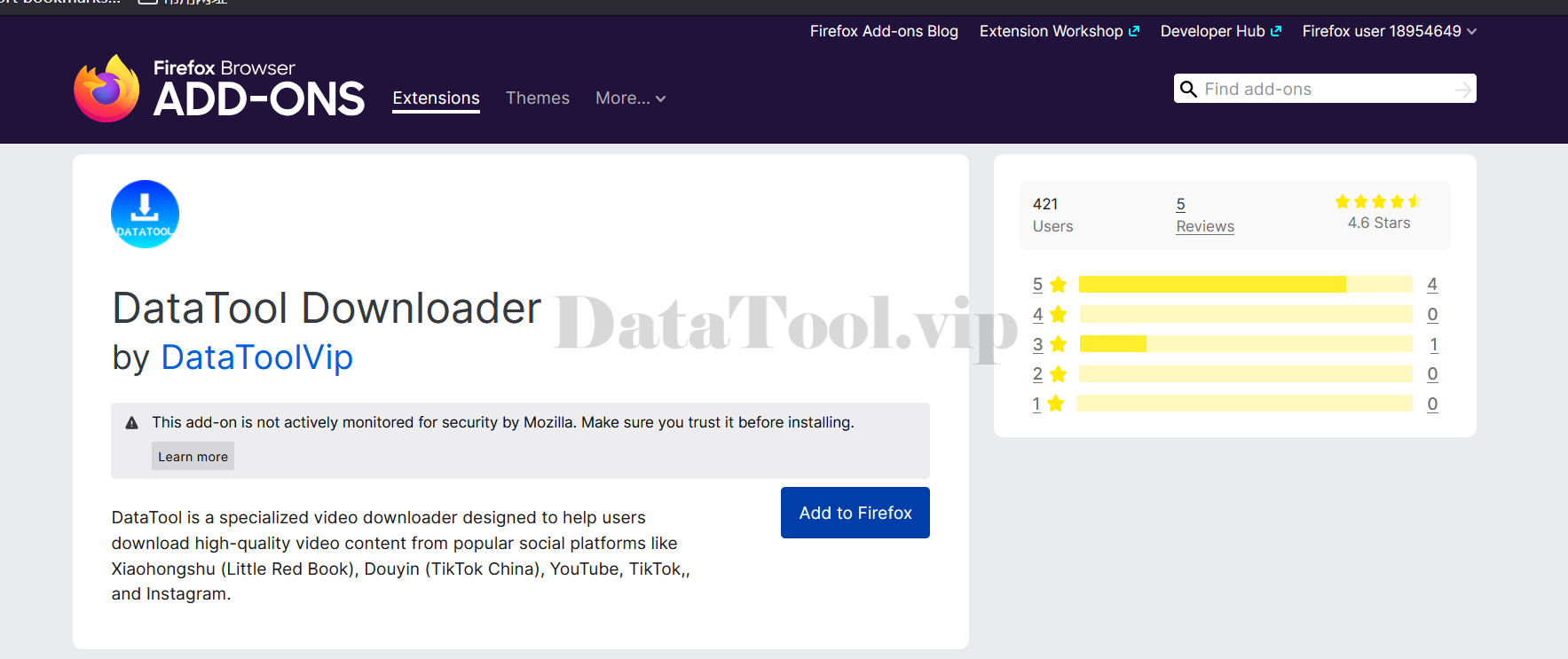
One of the tools used in this workflow is DataTool Vip, a downloader I discovered on Product Hunt.
What differentiates DataTool from most standard downloaders is that it supports not only video downloads, but also the extraction of TikTok engagement data and comments, as well as batch downloads of all public videos from a creator’s profile. For social media professionals who rely on video performance analysis, this capability is particularly important.
The setup process is intentionally lightweight:
Step 1:
Visit the DataTool.vip homepage and navigate to the Install section.
Step 2:
Install the browser extension and pin it for easy access.
Step 3:
When browsing TikTok on the web, a DT icon appears directly on the page, allowing videos and related data to be downloaded without leaving the platform.
Analyzing Influencers’ Video Engagement Step by Step
Once videos are downloaded, the real research begins.
Step 1: Extracting Stats and Metadata
Raw engagement numbers alone can be misleading. Effective analysis considers:
- Views, likes, and comments
- Upload dates
- Video length and posting frequency
- Context matters more than absolute numbers.
These data can all be extracted by DataTool, as I mentioned in the last section.
Step 2: Comparing Competitors’ Content
Rather than asking “Which video performed best?”, a better question is:
Why did this video perform better than others?
- Key comparison dimensions include:
- Opening hooks
- Content structure
- Visual pacing
- Call-to-action placement
Identifying patterns across multiple creators often reveals more insights than analyzing a single viral post.
Step 3: Organizing Content Libraries
A structured content library transforms scattered inspiration into actionable strategy.
Best practices include:
- Categorizing videos by platform or theme
- Naming files based on content intent or performance
- Grouping assets for future reference
A well-organized library allows teams to build strategies faster and avoid repeating the same research process.
Who This Workflow Is For
This video research workflow is especially useful for:
1.Social Media Marketers
Planning campaigns, analyzing competitors, and refining content strategies.
3.Content Strategists
Studying trends, validating formats, and building long-term content systems.
4.Researchers and Analysts
Conducting media studies, platform behavior analysis, or educational research.
Efficient video research is not about collecting more content, but about building a repeatable system that turns observation into insight.
By combining structured downloading, thoughtful analysis, and organized libraries, social media teams can move beyond intuition and create strategies grounded in evidence.